
Mindmap
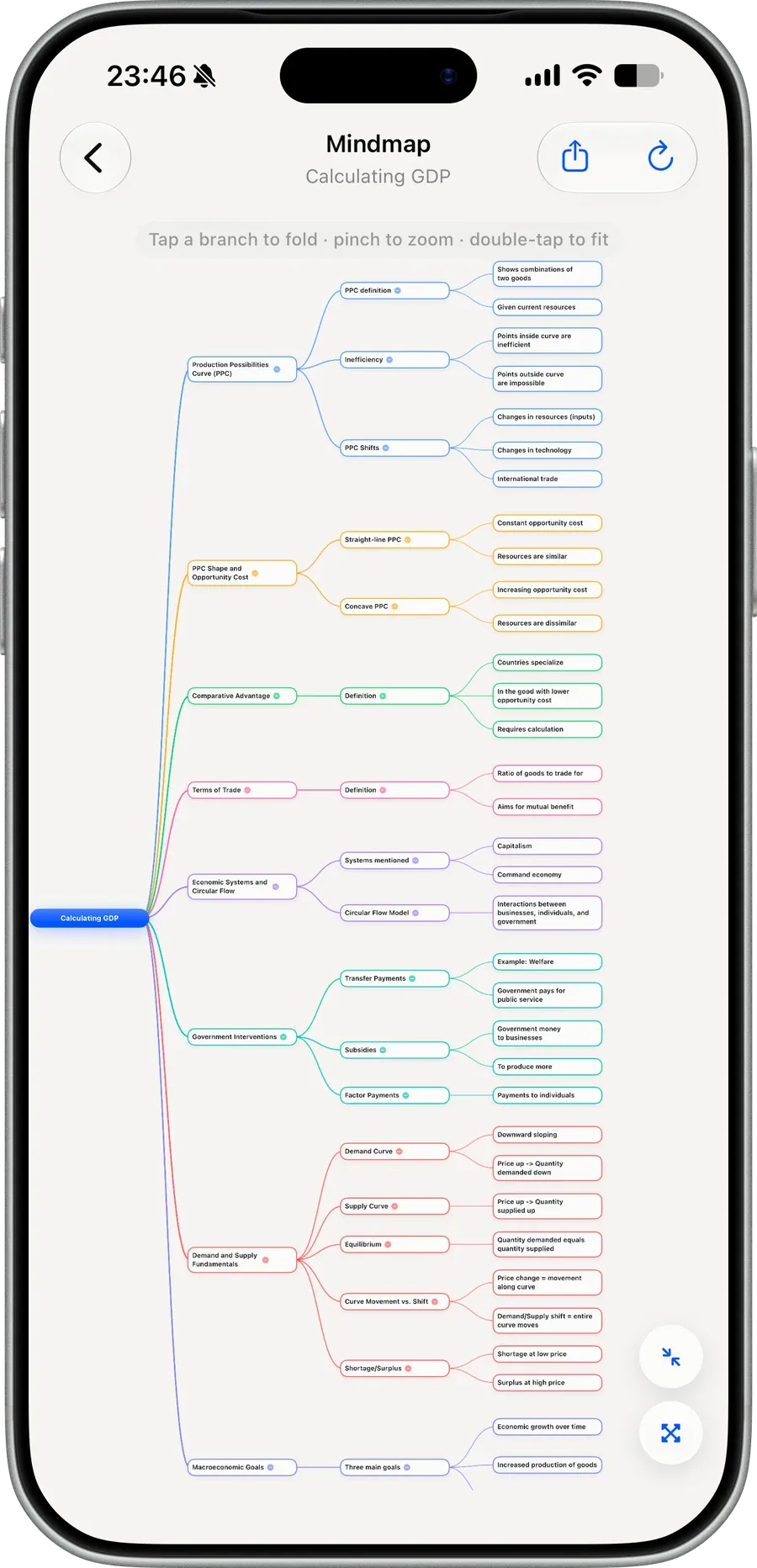
See how the ideas connect.
Broad topics first, then the detail. Fold a branch away to focus.
On-device AI companion
Every recording, turned into clear notes. Privately, right on your device.
Live transcript
So when we talk about the economy, we usually mean real GDP.
Privacy
The AI model downloads once and runs on your iPhone, iPad or Mac. No recording, transcript or question is sent to an AI service, and there is no ReQuest server reading your lectures.
On this iPhone
Transcribing
Transcripts, summaries, Ask, mindmaps and quizzes are all made by the model on your device.
Sync uses your private iCloud database. We can’t read it, and you can switch it off in Settings.
It needs a connection once, to download the model. After that, everything works offline.
How it works
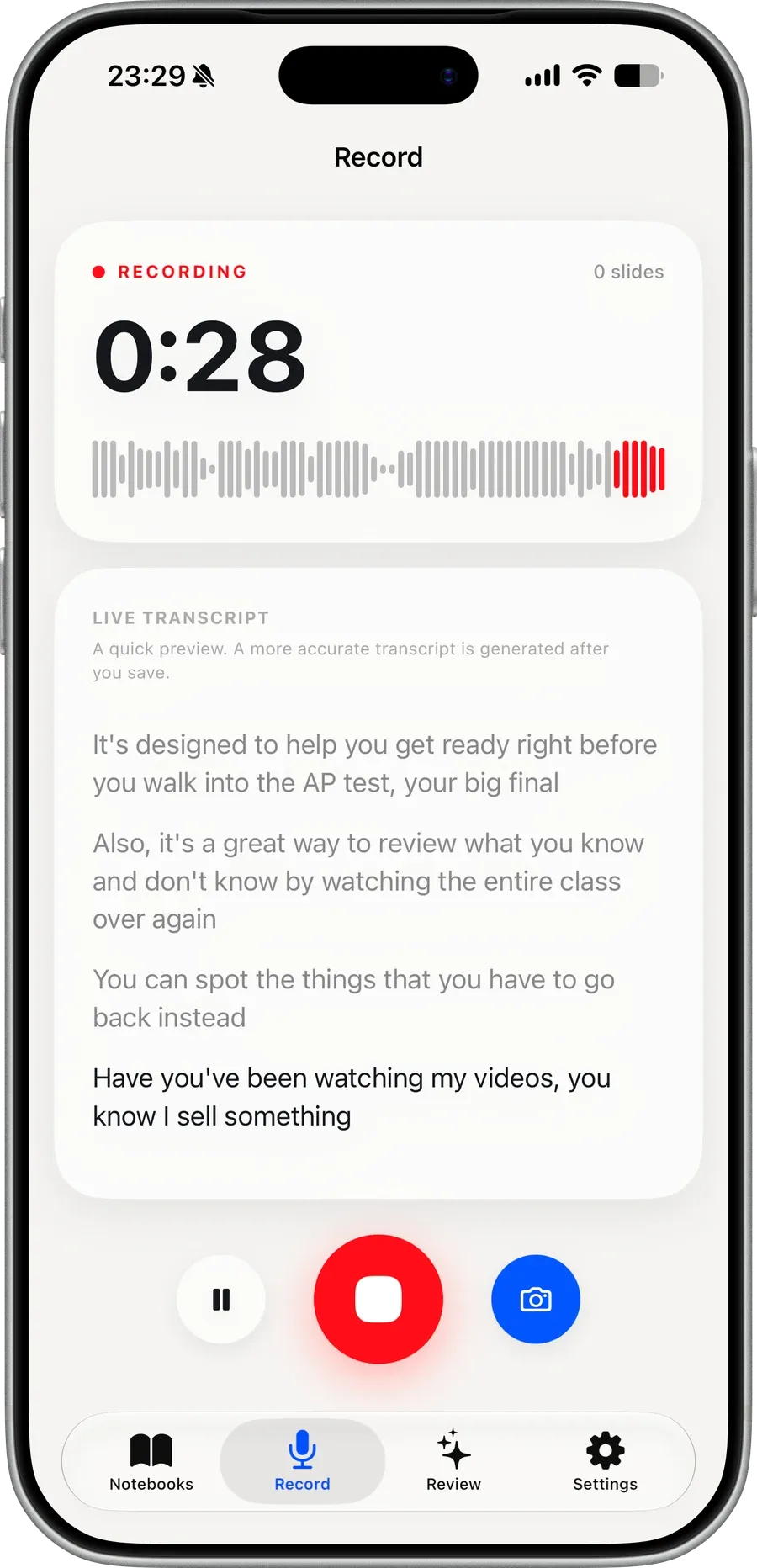
One tap to start. ReQuest listens, transcribes and writes the notes, all on your device.
Record
A live waveform, a running timer, and the transcript appearing as the speaker talks. If a call cuts in, it picks up again on its own.
Snap the slides
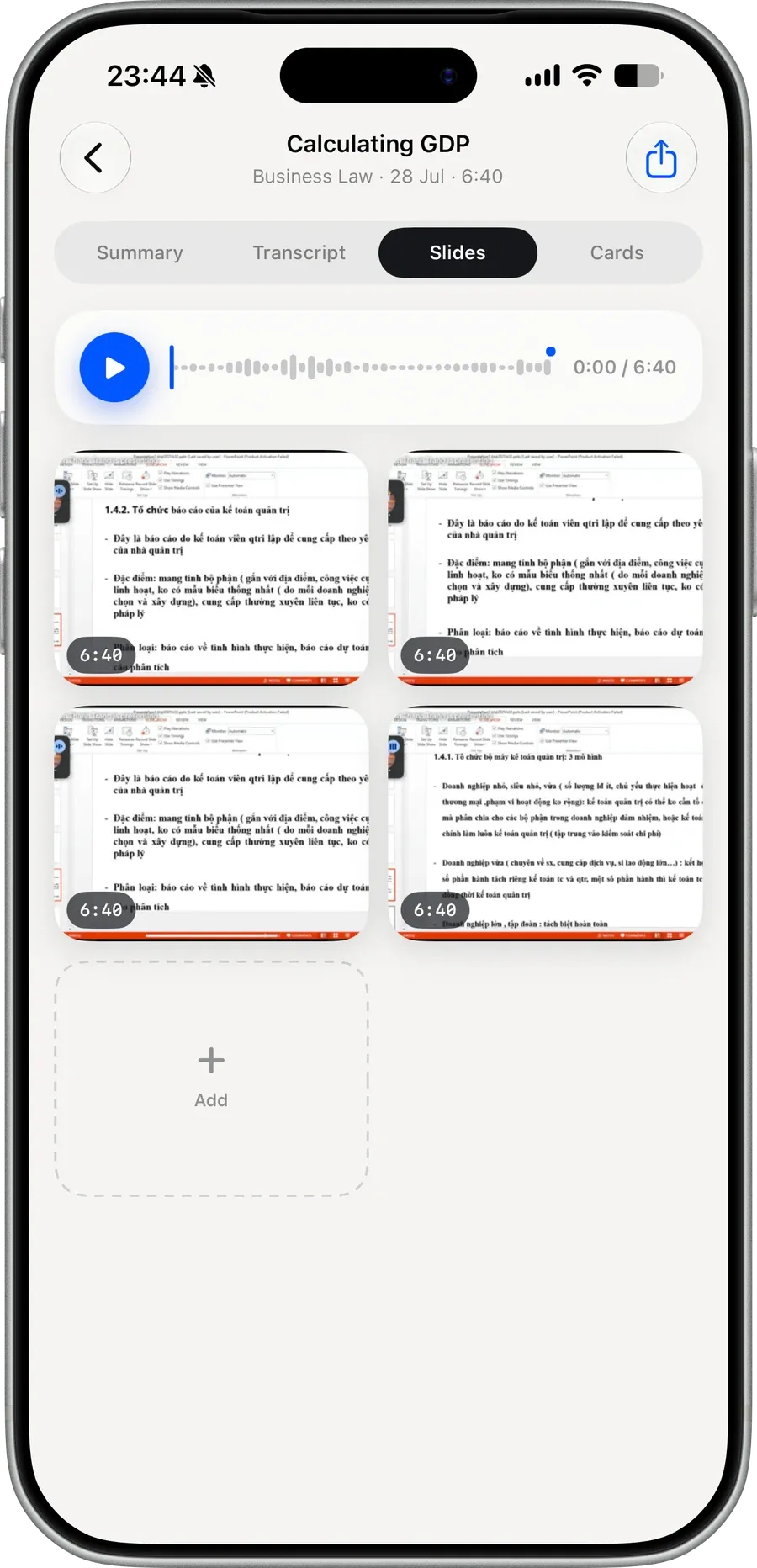
Each photo is timestamped against the audio, so every slide lands at the right moment of the lecture.
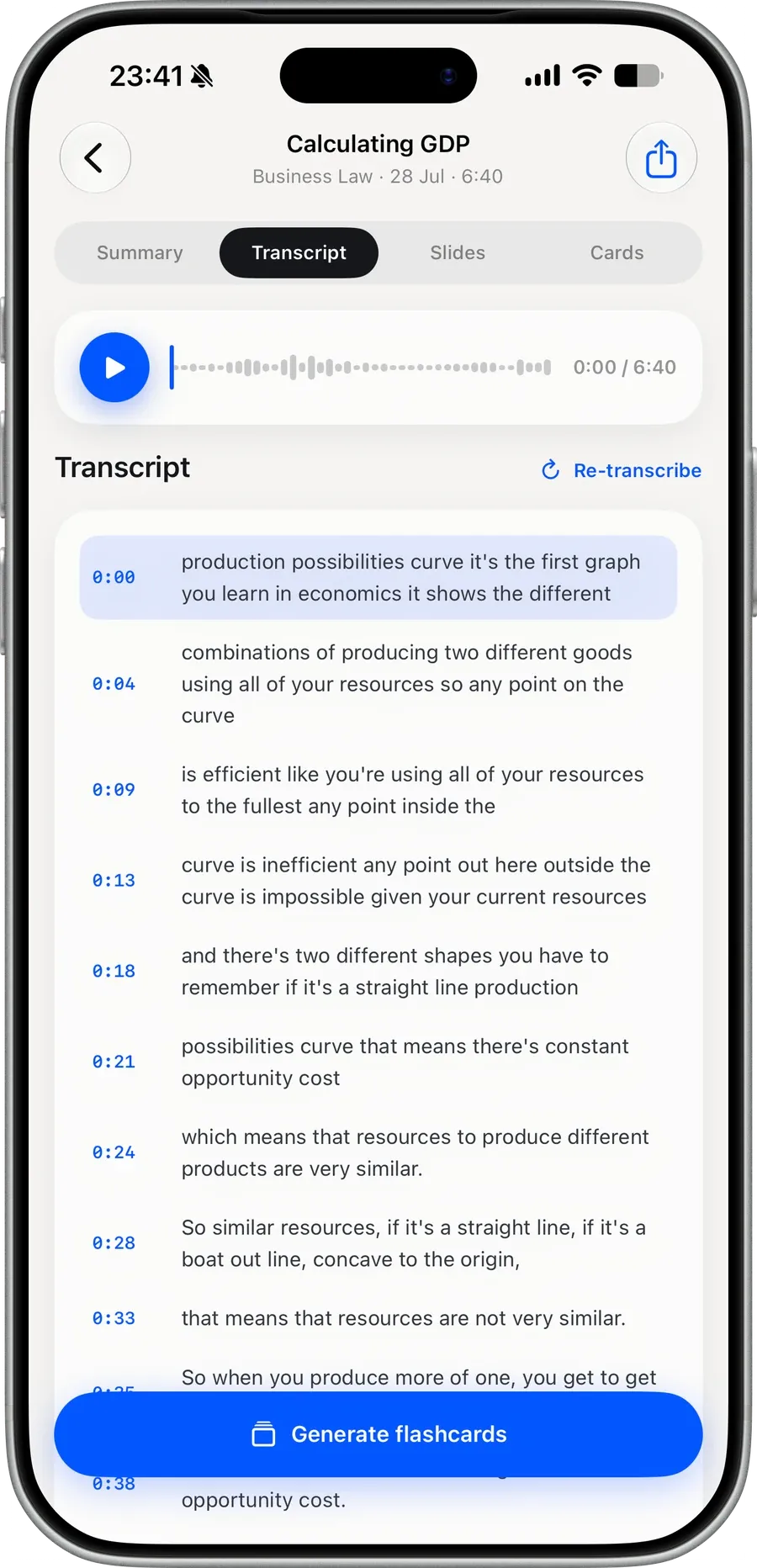
Transcript
Transcribed on your device in eight languages, or let it detect the language. The live text comes first; a cleaner pass replaces it in the background.
Notes
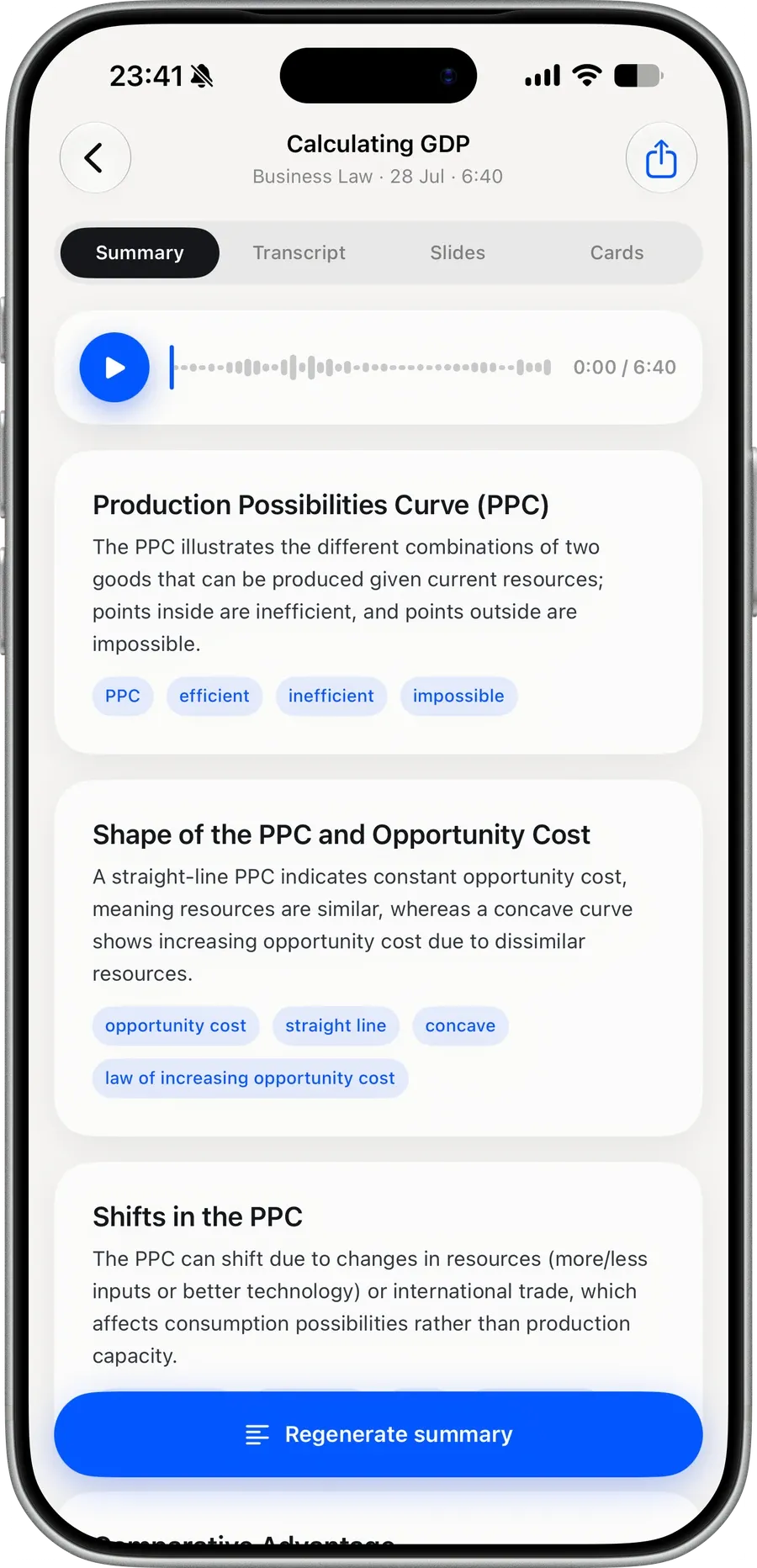
A structured summary with the key terms pulled out, written in the language you set for the notebook, next to the full transcript.
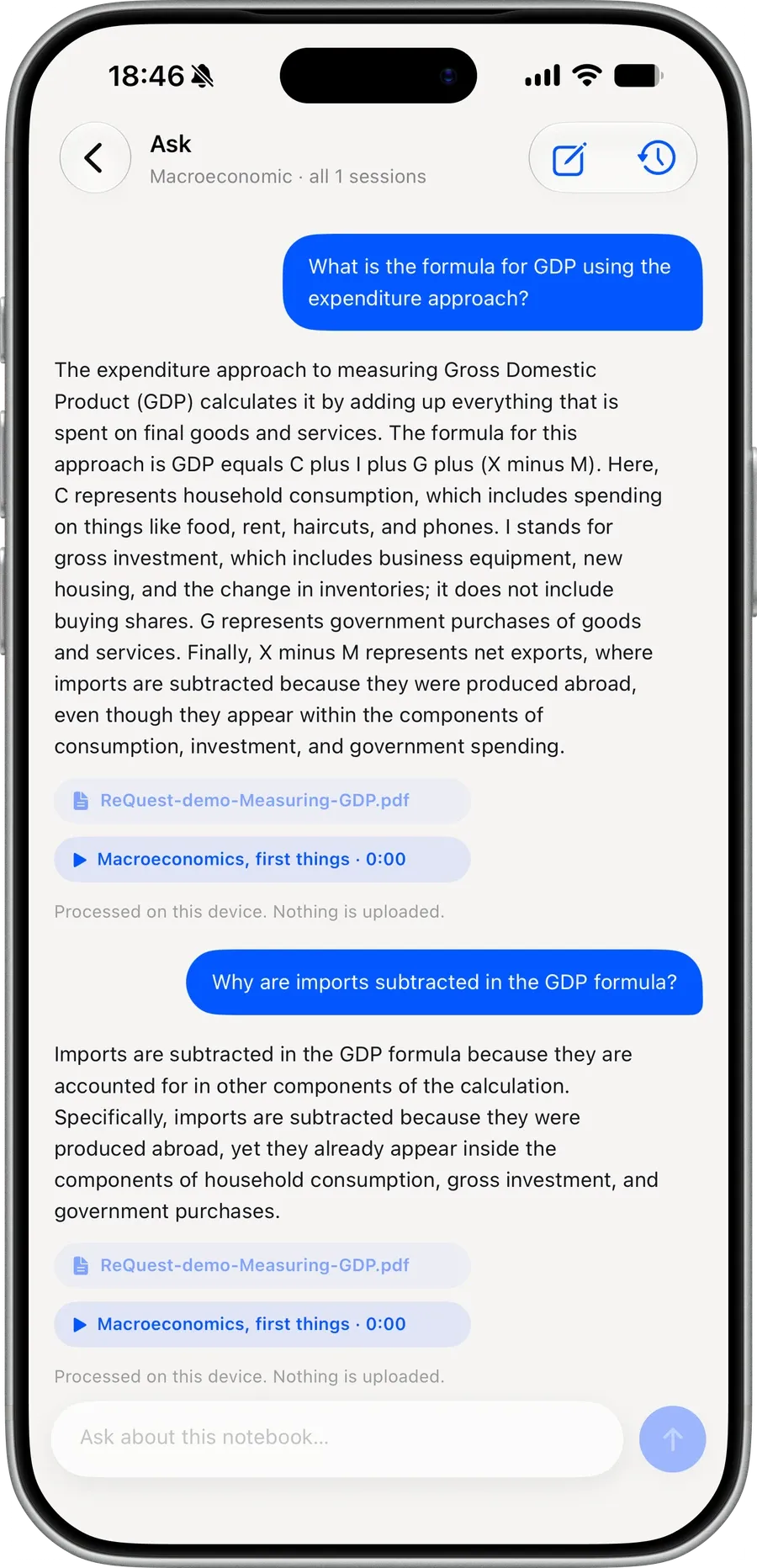
Why are imports subtracted in the GDP formula?
SourceMacroeconomics, first things0:00
Ask
Ask across your recordings and uploaded files, and get answers grounded in them.
Answers come from your own recordings and files.
Every answer cites its source, back to the moment it was said.
Ask runs on the same local model. No question ever leaves the device.
Study tools
Build any of them from a recording, an uploaded file or pasted text. One tap each.
Mindmap
Broad topics first, then the detail. Fold a branch away to focus.
Poster
The whole session laid out on a single sheet.
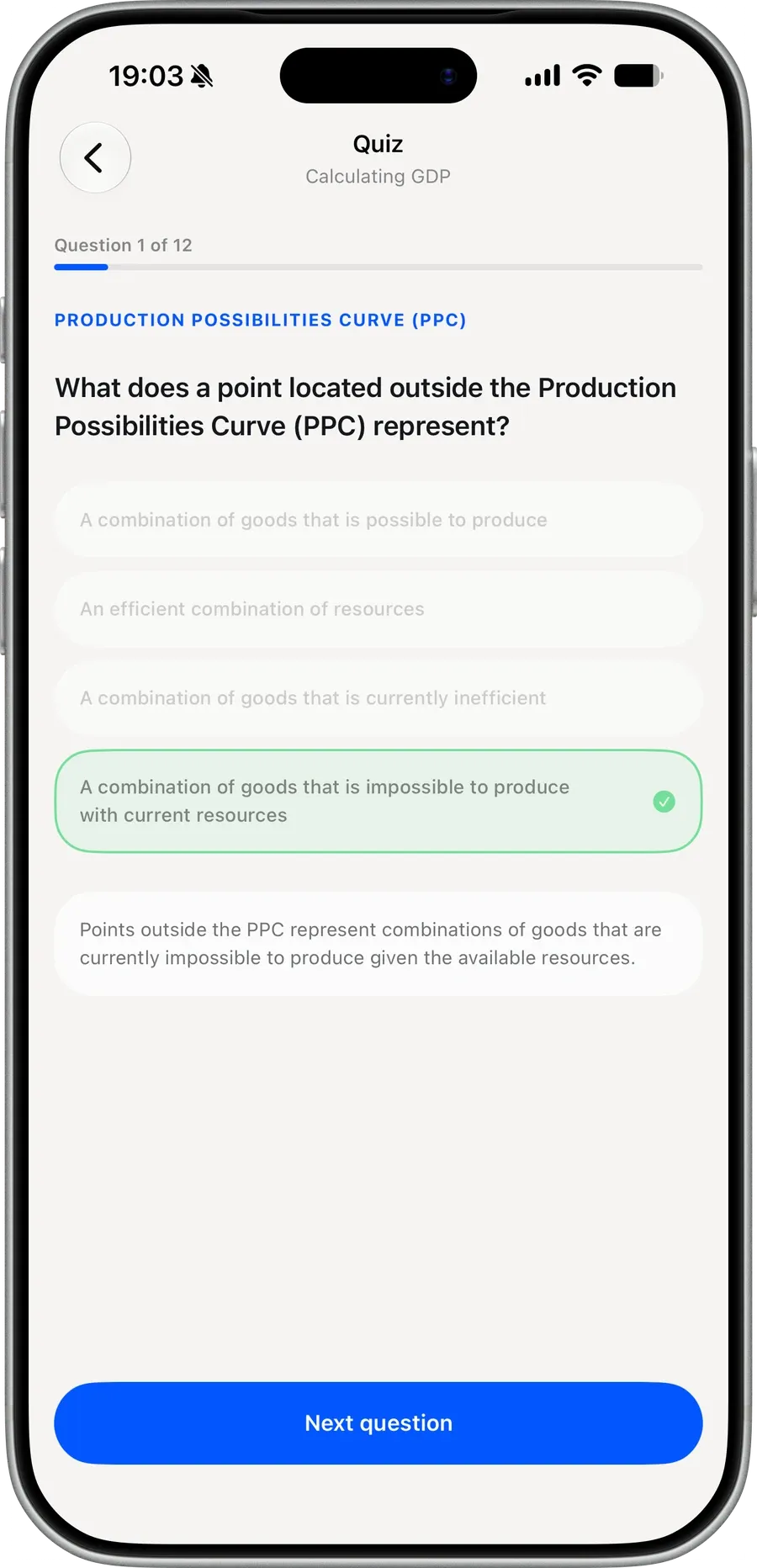
Quiz
Questions written from your own lectures, with the answers.
Free: 5 tries of each tool, counted per tool. Pro: unlimited.
Export toMarkdownPNGPDFPRO
Review
Cards made from your own recordings, resurfaced by spaced repetition. Grade each one and it comes back when it should.
1 of 4 due today
Marketing Principles
What goes into a positioning statement?
The target segment, the frame of reference, and the point of difference.
All done for today.
Keep the momentum going.
Notebooks and files
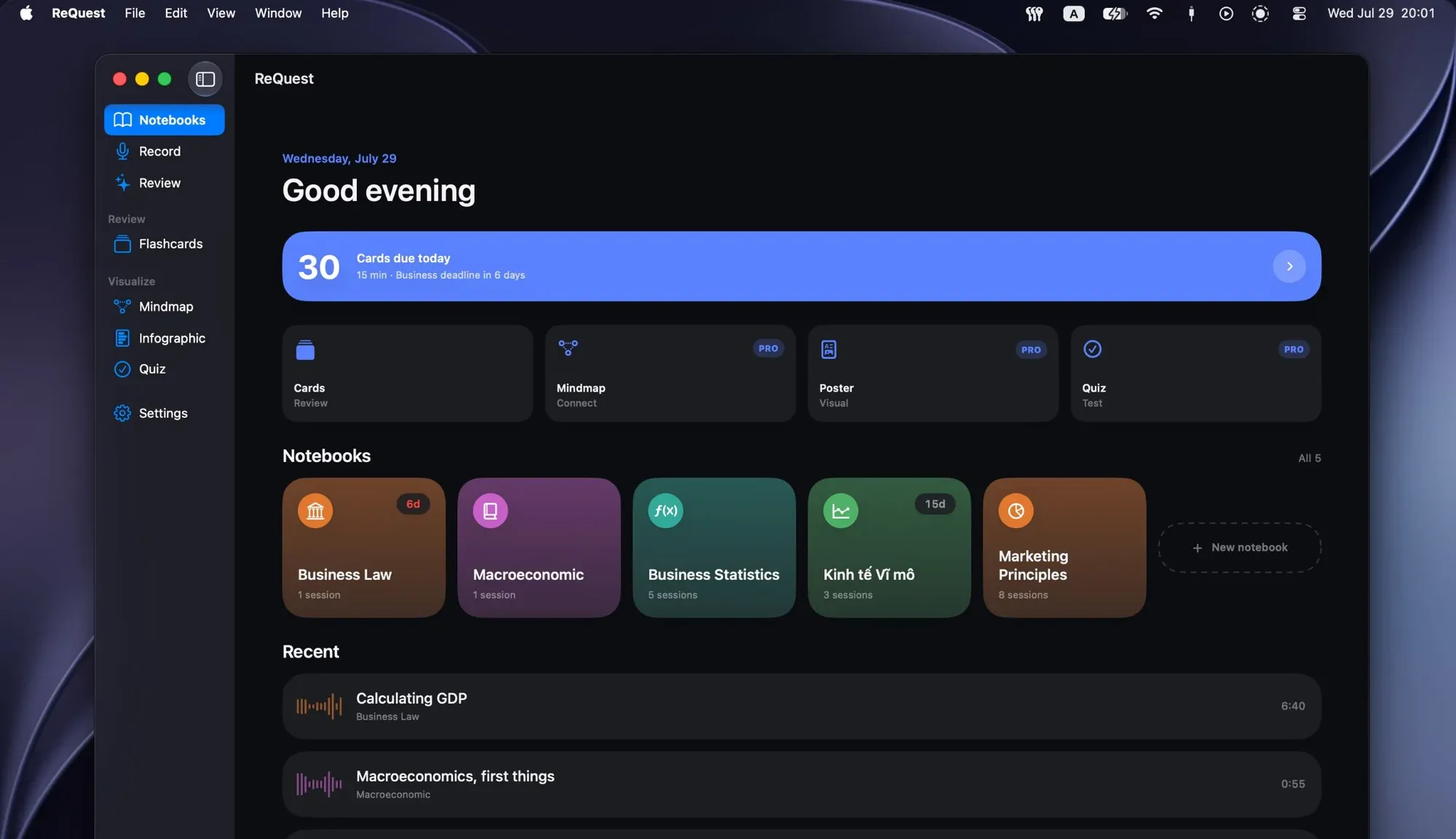
Drop in the slides and the reading list. Every file becomes material for summaries, Ask and every study tool.
Notebooks group recordings, files and cards by course, each with its own colour, icon, deadline and language.
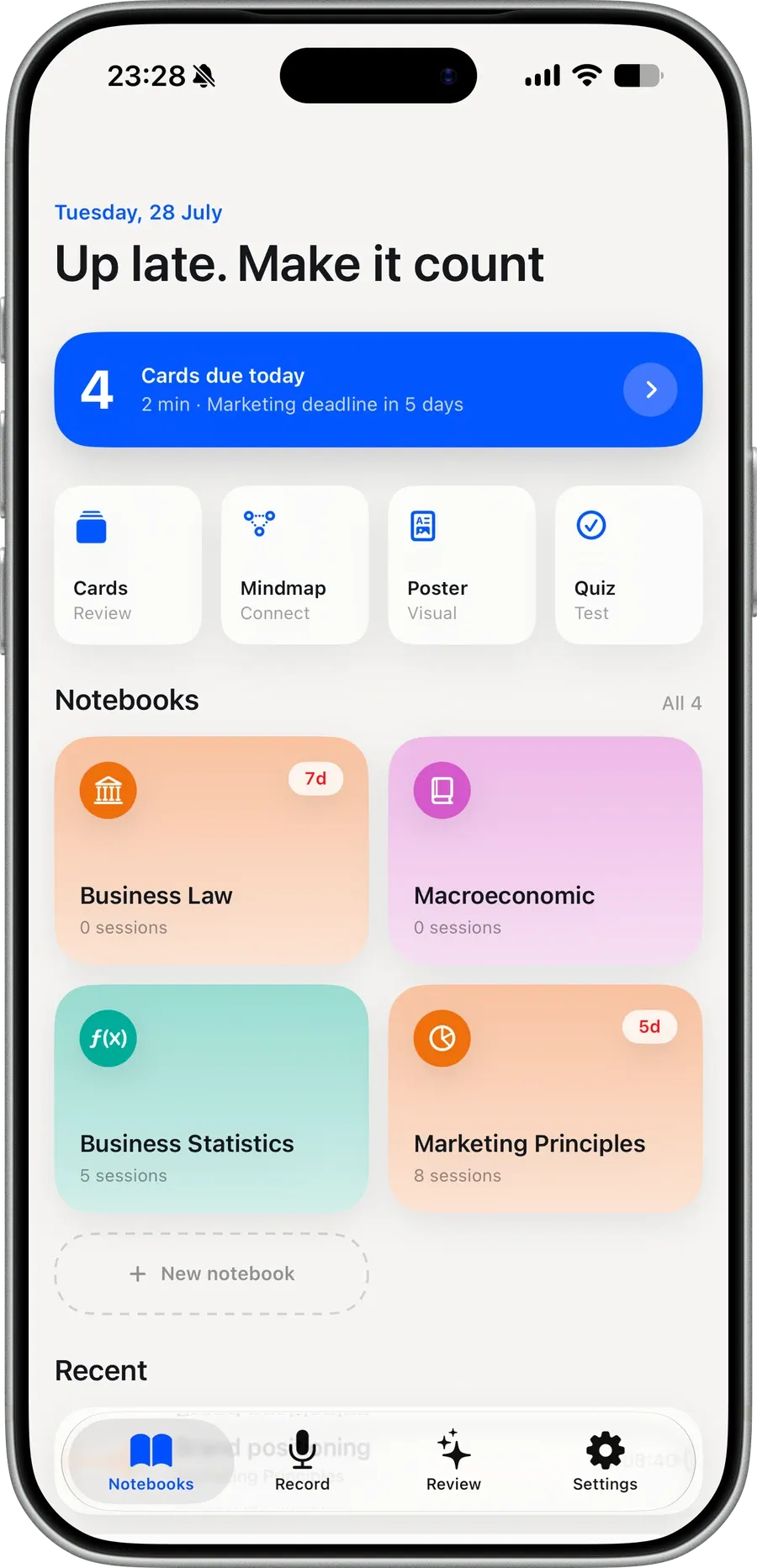
iPhone, iPad and Mac
One universal app. On iPhone, a tab bar; open an iPhone Duo flat, or use iPad or Mac, and the sidebar appears. It all syncs through your own iCloud.
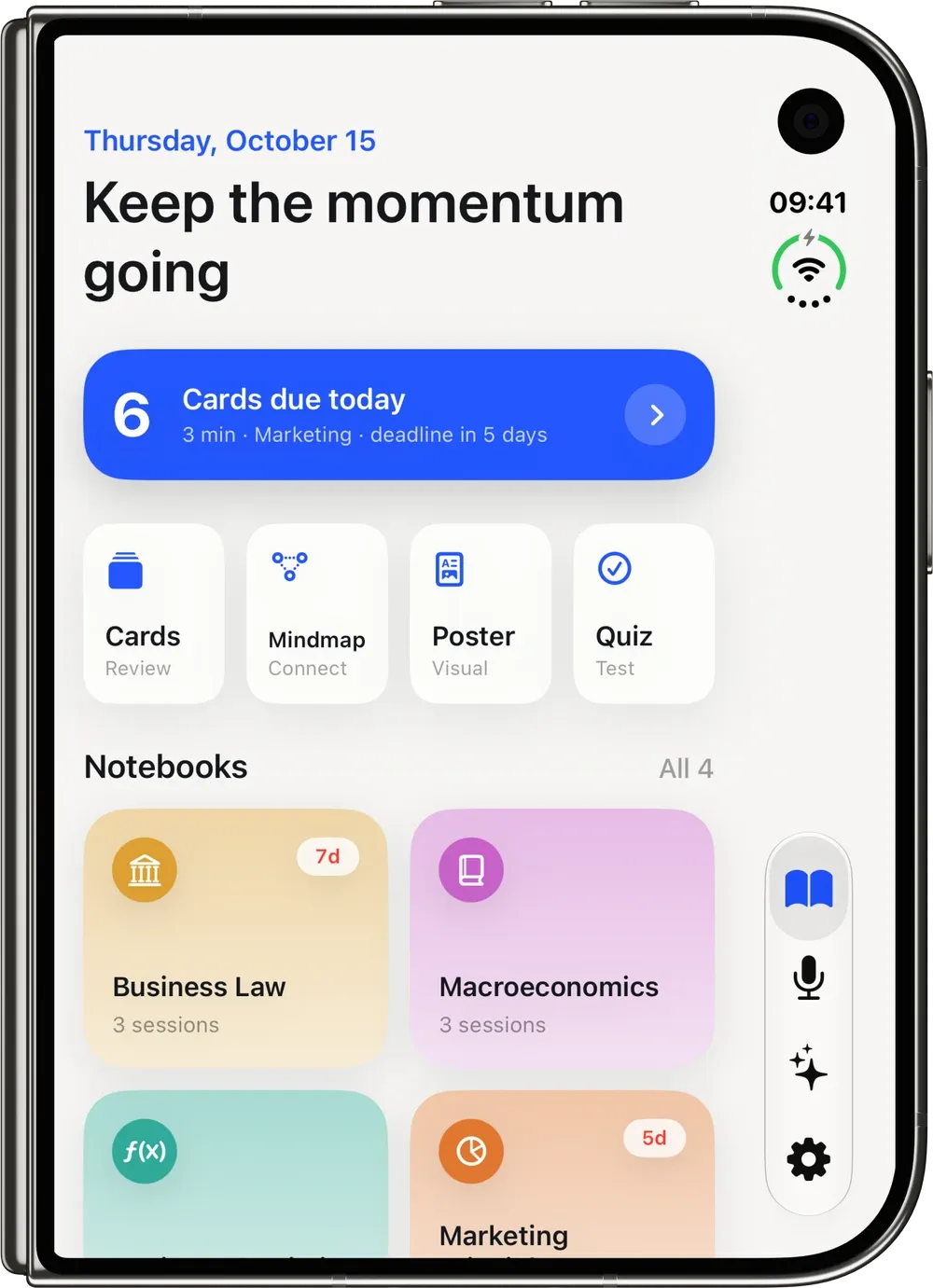
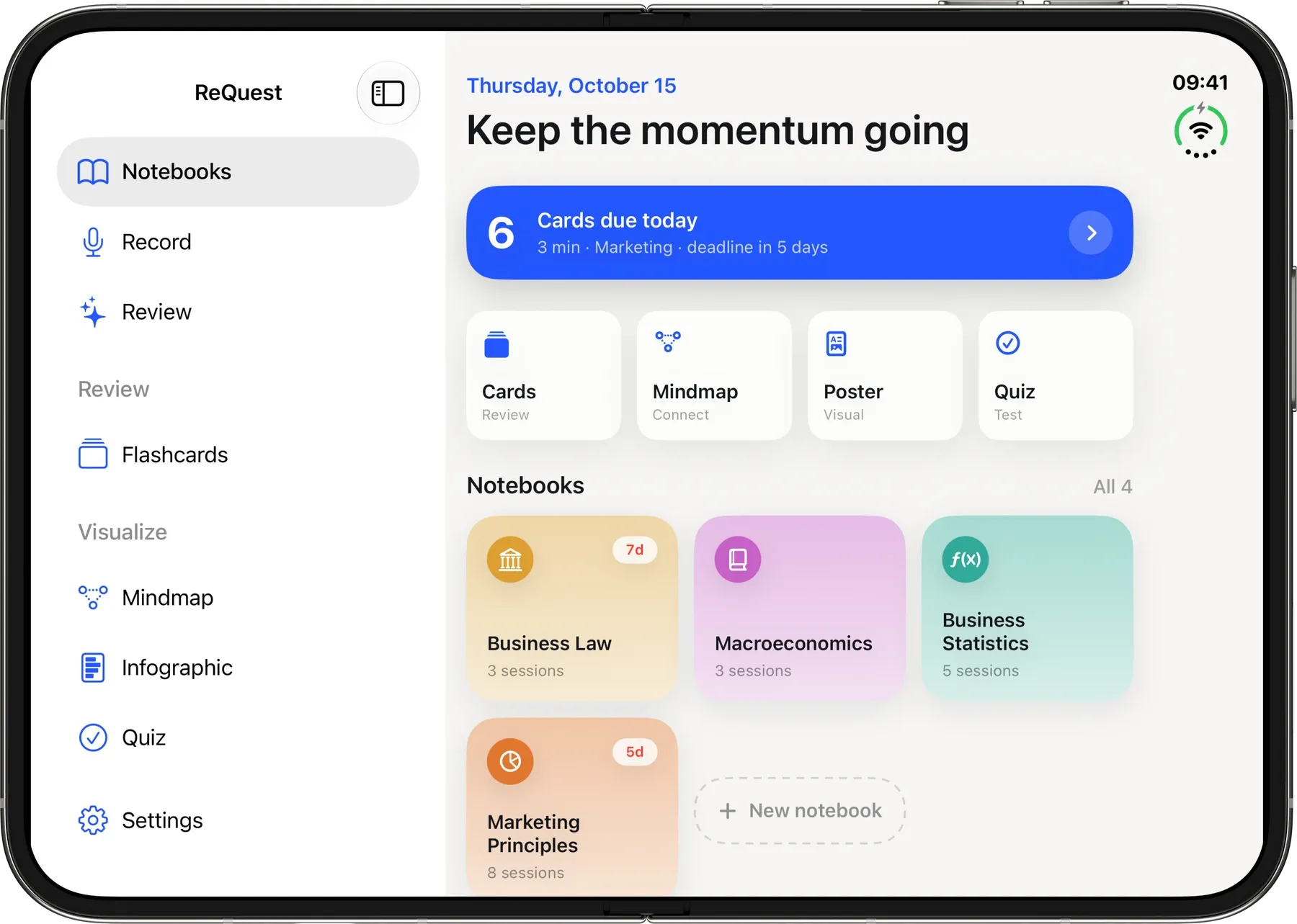
Needs iOS 26, iPadOS 26 or macOS 26. Larger models are offered on iPad and Mac, where there is memory for them.
Themes
Switch live in Settings. Every theme has a proper dark mode. Try them here.
Free and Pro
Recording, transcripts, notes, Ask and flashcards are free, without limits. Pro lifts the caps and adds export.
Free
Everything you need for a course or three.
ReQuest Pro
No caps, and your notes go anywhere.
Monthly or yearly. Yearly works out at about half the price per month. Cancel anytime.

One universal app for iPhone, iPad and Mac. It needs a connection once, to download your model. After that, it all runs offline.